Shopify SEO is mostly unglamorous volume work: hundreds of titles, meta descriptions and alt texts that nobody wants to write by hand, plus a handful of structural decisions that matter more than all of them. Connected to your store, Claude does the volume in minutes and talks you through the decisions.
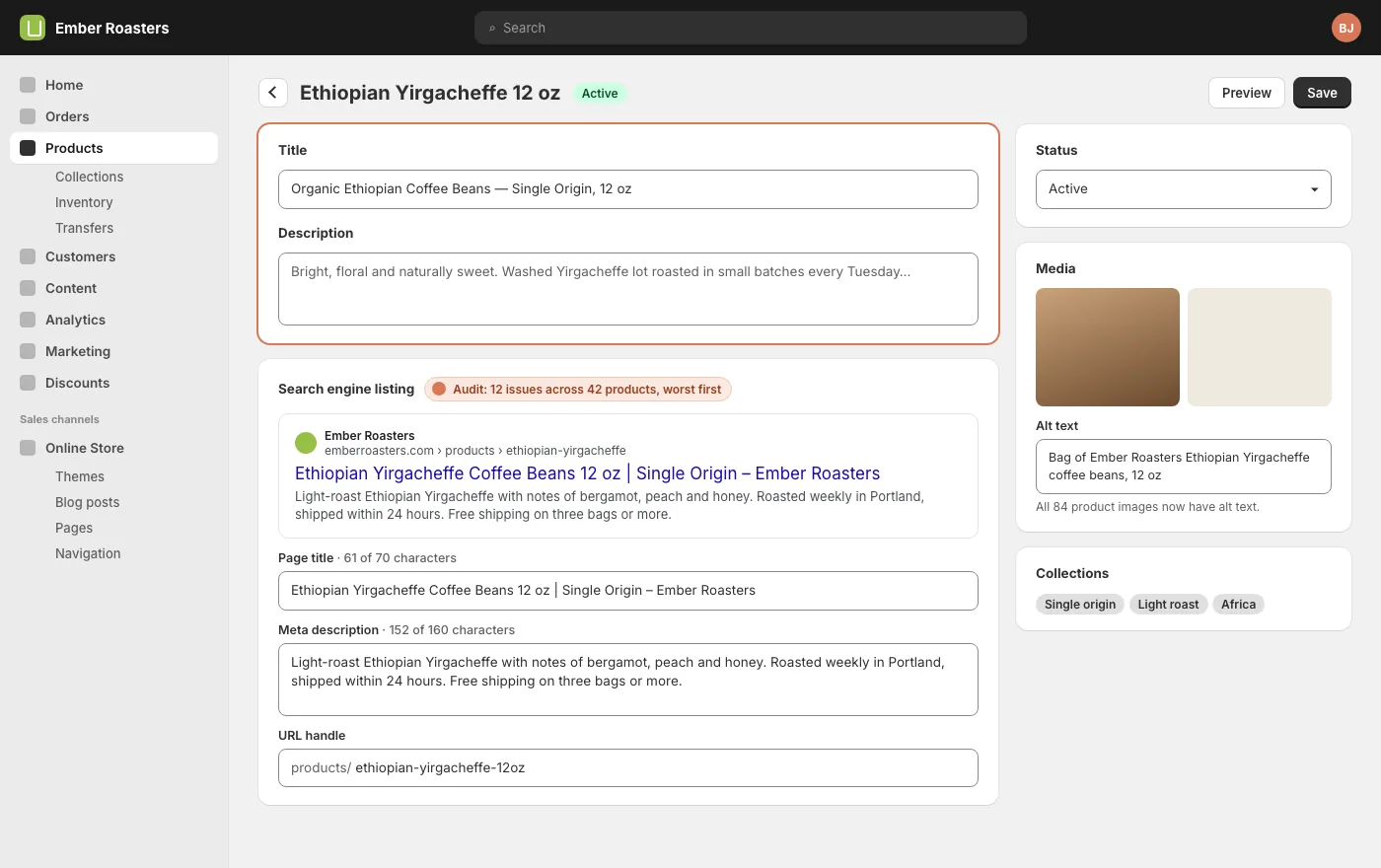
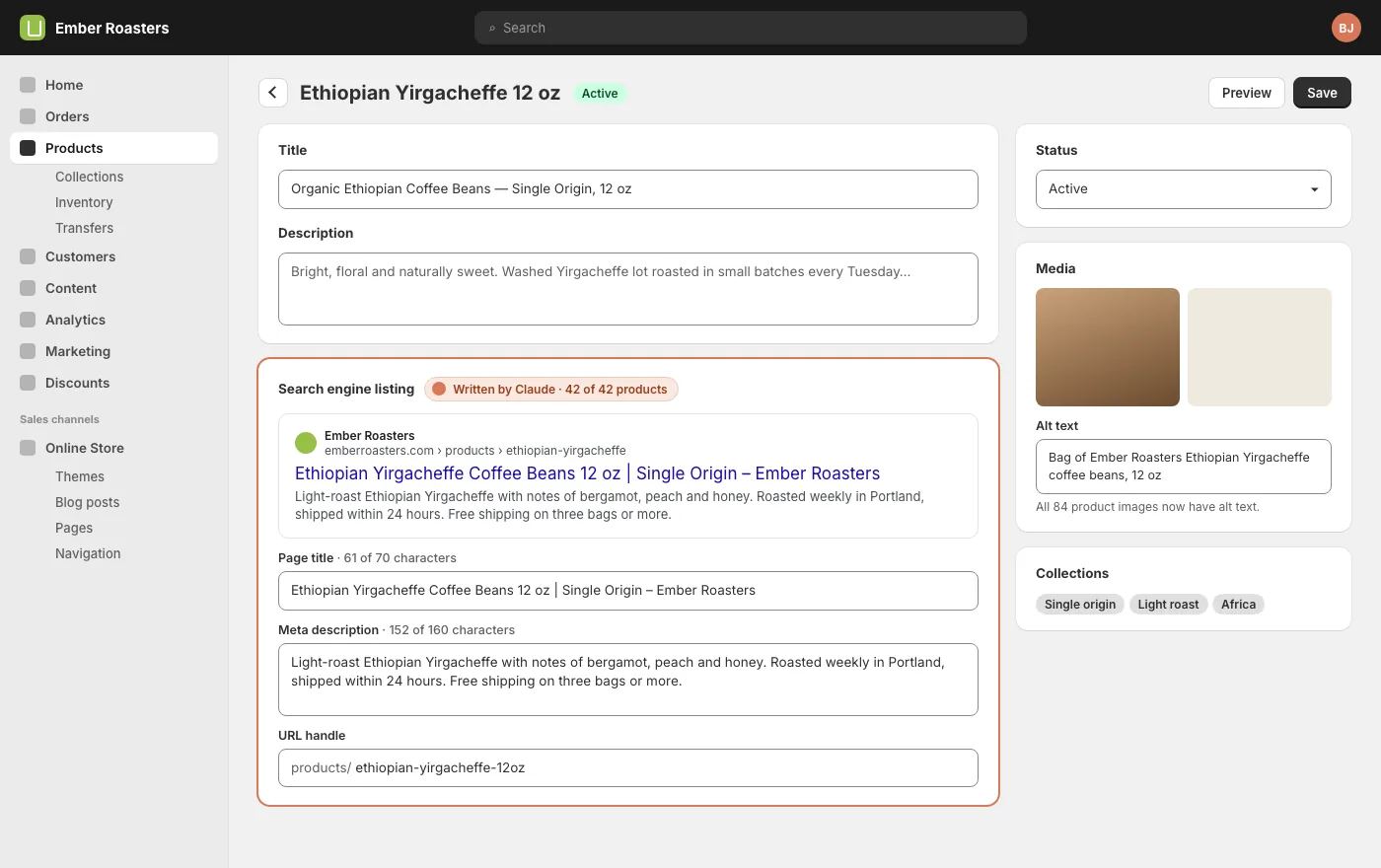
The Shopify connector talks to the Shopify Admin API with the scopes you approved when you installed the app. For SEO work the relevant ones are products, collections, content (pages and blog posts) and themes. With those, Claude can read and write every field that appears under a product’s Search engine listing: page title, meta description and URL handle, plus the product title, description, image alt text and collection membership.
Two things it deliberately cannot do: it cannot see your Google Search Console data unless you share an export with it, and it cannot change anything in a theme that your scopes do not include. Both are features. The first keeps your search data in your own Google account. The second means the widest change Claude can make is only as wide as you allowed.
Before you start: if you connected your store from your Claude CMS account, you are ready. If you set the app up yourself, check the scopes include write_products and write_content, otherwise Claude can audit but not fix.
Start with an audit, not a rewrite
Ask for the state of play before you ask for changes. Claude reads every product and collection and gives you a table: which ones have no meta description, which titles are duplicates, which exceed the length Google will show, which images have no alt text, which handles contain a date or a SKU instead of words.
SayAudit every product and collection for SEO: missing or duplicate page titles, missing meta descriptions, titles over 60 characters, images without alt text, handles that are not readable. Give me a table, worst first.
The table is the plan. A store with 40 products usually has a dozen genuine problems and a lot of noise. Fix the problems in order, and do not let Claude rewrite things that were already fine. A title that has ranked for three years is an asset; ask for a reason before it changes.
Titles and meta descriptions in bulk
This is where the connector earns its keep. Give Claude the house voice once, the pattern you want titles to follow, and the length limits, and it writes the lot. It reads each product’s description, options and collections first, so the copy is about the product rather than a template with the name swapped in.
SayWrite page titles and meta descriptions for every product that is missing one. Pattern: product name, key attribute, brand. Titles under 60 characters, descriptions under 155, plain and specific, no exclamation marks. Show me the first five before you apply the rest.
Ask to see a sample first. Five is enough to catch a tone that is off or a pattern that reads oddly for one product type. Approve, then let it finish. Claude writes directly to the Search engine listing fields; the product description and price are untouched unless you say otherwise.
For collections do the same, but write them yourself if you only have a few. Collection titles and descriptions are the pages most likely to rank for the broad terms you actually want, and they deserve a human sentence or two.
Alt text and image names
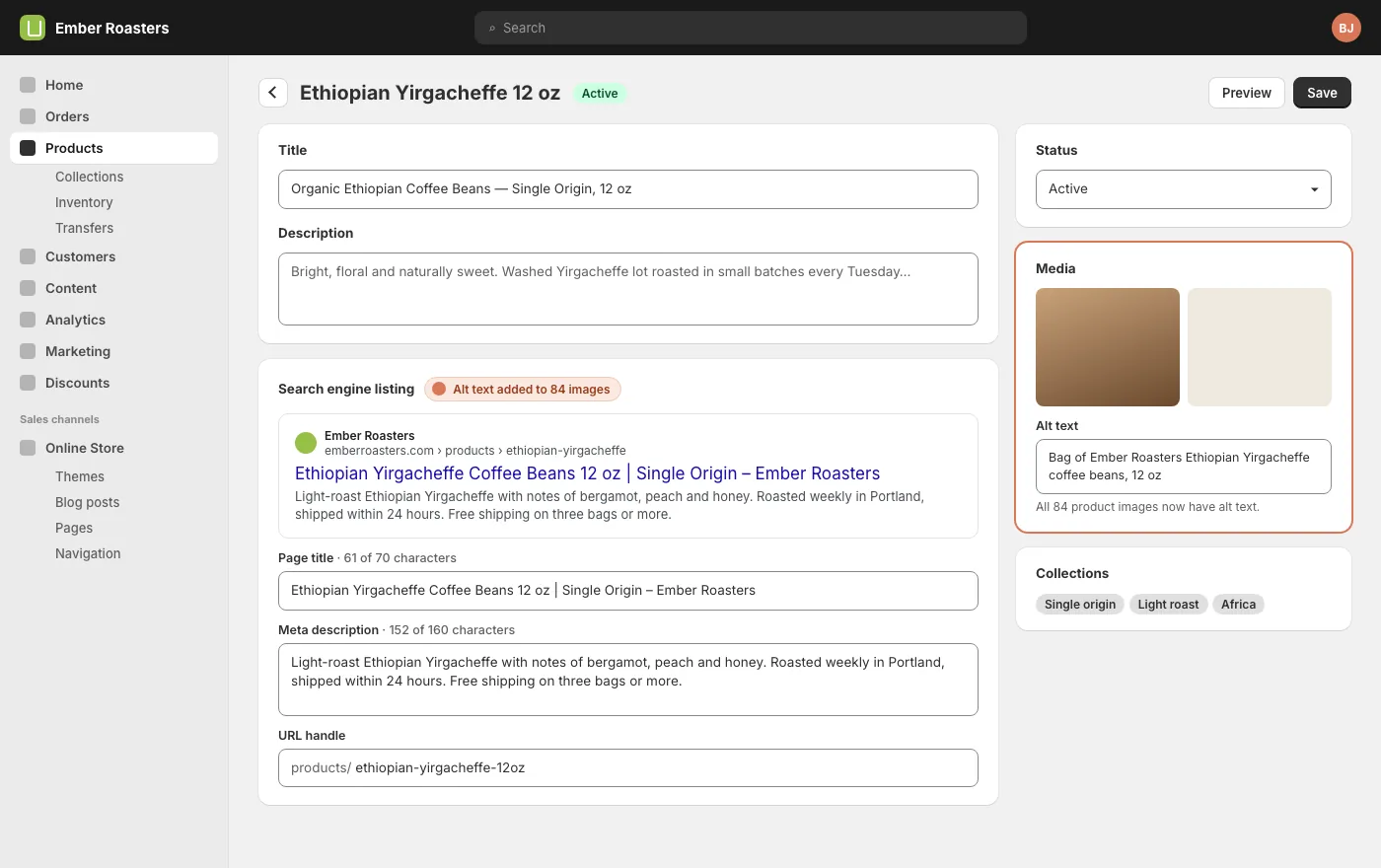
Alt text is the field most stores leave empty and the one Claude handles best, because it can see the image. Ask for descriptive alt text that names the product and what is visible, not a keyword list.
SayAdd alt text to every product image without any. Describe what is in the picture and name the product. One sentence, no keyword stuffing.
Shopify does not let an app rename an uploaded file, so if your image filenames are camera defaults, that fix means re-uploading. Claude can tell you which ones are worth it, which is usually only the main image on your best sellers.
Collection pages do the ranking
Product pages rank for the product. Collection pages rank for the category, and category searches are where most of the traffic is. Three things make a collection page work: a title that says what the category is called in plain language, a few hundred words of real description above or below the grid, and products that are actually in it.
Claude can look at how your products are grouped and suggest collections you do not have. A coffee roaster with eight Ethiopian lots and no “Ethiopian coffee” collection is leaving a page on the table.
SayLook at our products and collections. Suggest collections that would match how people search for what we sell, and tell me which products belong in each. Do not create anything yet.
Internal links and the blog
A Shopify blog exists to send links to products and collections. If you publish guides, each one should link to the collection it belongs to and to two or three products, with the link text being the thing the page is about. Claude can go through your existing posts and add those links where they are missing, and it can write the guide if you give it the brief.
SayRead our blog posts. Where a post talks about a product or category we sell, link it to the collection or product page using natural link text. List every link you added.
Keep the links honest. A post about brewing methods should link to brewing equipment, not to every product in the store. Google is good at noticing links that exist only for Google.
What Claude cannot do from the admin
Structured data lives in the theme, and most themes already output product schema. Claude can read your theme to confirm it, and can edit it if your scopes allow, but do not add a second copy.
Redirects for handles you change are created by Shopify automatically. Claude will tell you when a handle changed so you can confirm the redirect exists.
Site speed is mostly theme and app weight. Claude can list the apps injecting scripts; removing them is your decision.
Search Console verification and sitemap submission happen in your Google account, by you.
Verify in Search Console
After a round of changes, export the Performance report from Google Search Console for the previous month and share it with Claude. It will match queries to the pages it changed and tell you what moved, what did not, and what to try next. Three to six weeks is the realistic window before titles and descriptions show a difference in click-through, so do not rewrite again in week two.
Keep it current
New products arrive without meta descriptions. Collections drift. The monthly version of this guide is one prompt.
SayEvery product or collection added or changed since the first of the month: check the search engine listing and alt text, fix what is missing in our house voice, and give me a short list of what you changed.
Put it in a Swarm task if you want it to happen without you, or run it by hand when you add stock. Either way the store stops accumulating empty fields.
Questions
Will Claude change my product descriptions?
Only if you ask. The SEO fields (page title, meta description, handle, alt text) are separate from the product description. Say which you want touched.
Does this work on a Shopify Plus store?
Yes. The connector uses the same Admin API on every plan. Plus stores with multiple markets get titles in the primary language; translations are a separate pass.
Can Claude see my Search Console data?
Not directly. Export the report and share it. Your search data stays in your Google account.
What about the theme and structured data?
Claude can read the theme and tell you what schema it outputs. Editing it needs theme scopes on the connector, which you grant or withhold when you install the app.
Start here
Every guide on this page assumes one thing: your store is connected. That is a one-time job of about fifteen minutes, covered step by step in Connect your Shopify store, or one click from the Connections tab if you already have a Claude CMS account. After that, this guide is a conversation.